Everything Inbox Triage does
Powerful enough to clear years of mail, careful enough that you stay in control.
Find the pile
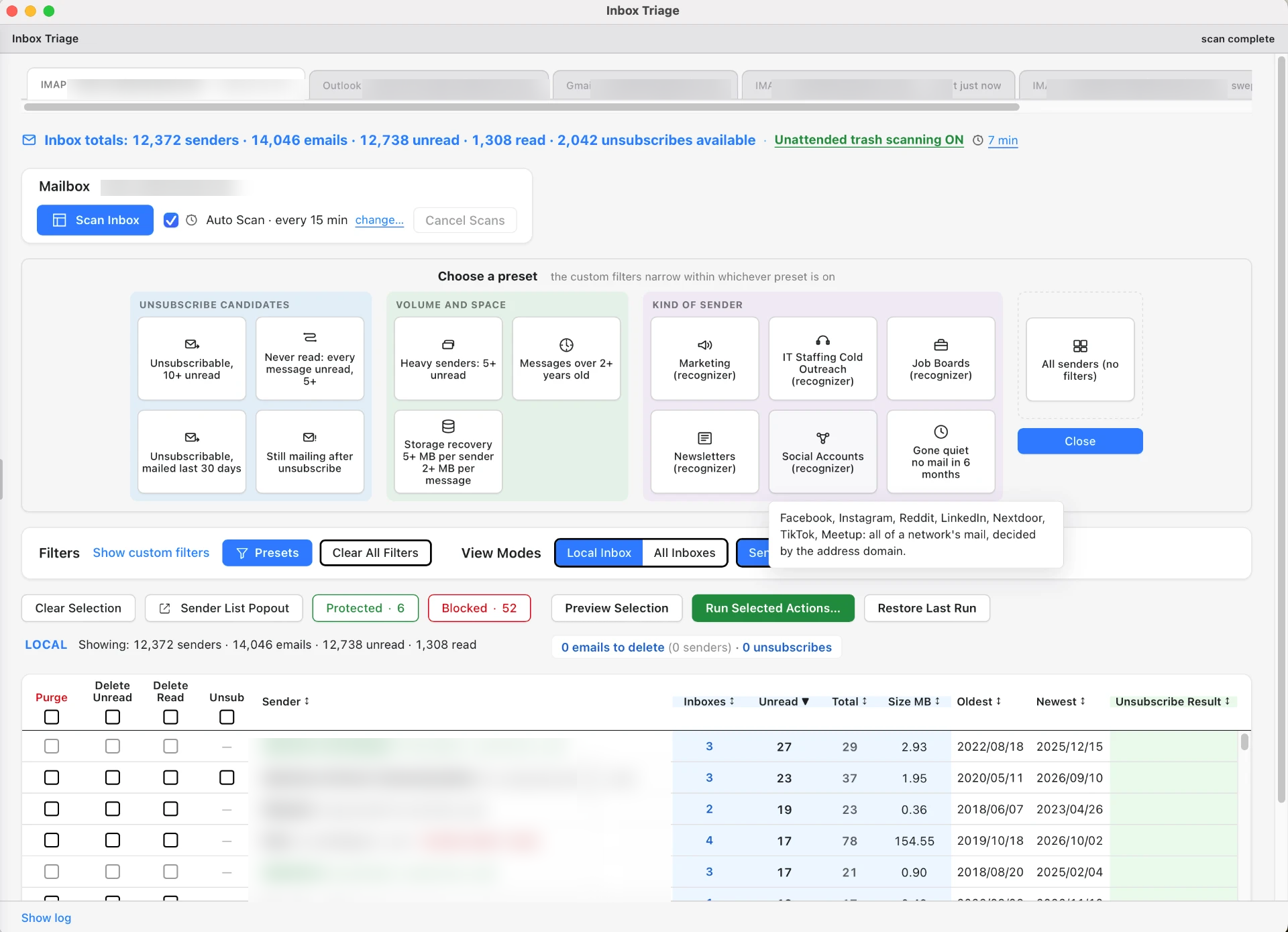
Largest senders first
Senders are ranked by how much mail they send you, so one decision clears thousands of messages.
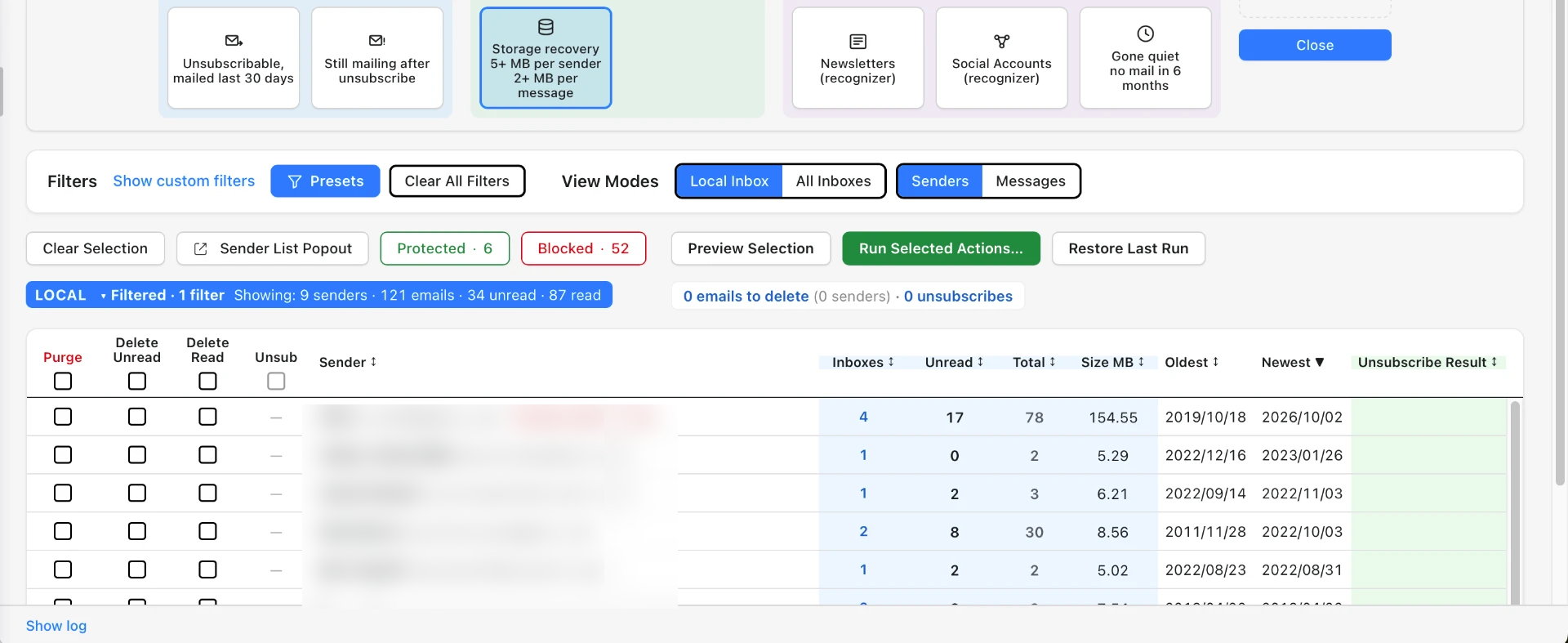
Storage recovery
Surface senders using 10+ MB so you can reclaim space.
Never read
Find senders whose mail you've never opened.
Clean up safely
Bulk delete to Trash
Deleted mail goes to Trash or Deleted Items. It's always recoverable, never permanently deleted.
Inbox-only scanning
Scans cover your Inbox only. Sent mail is never touched.
Protected senders
Mark the people and companies you always want to keep. Protection can sync across your connected accounts.
Full audit trail
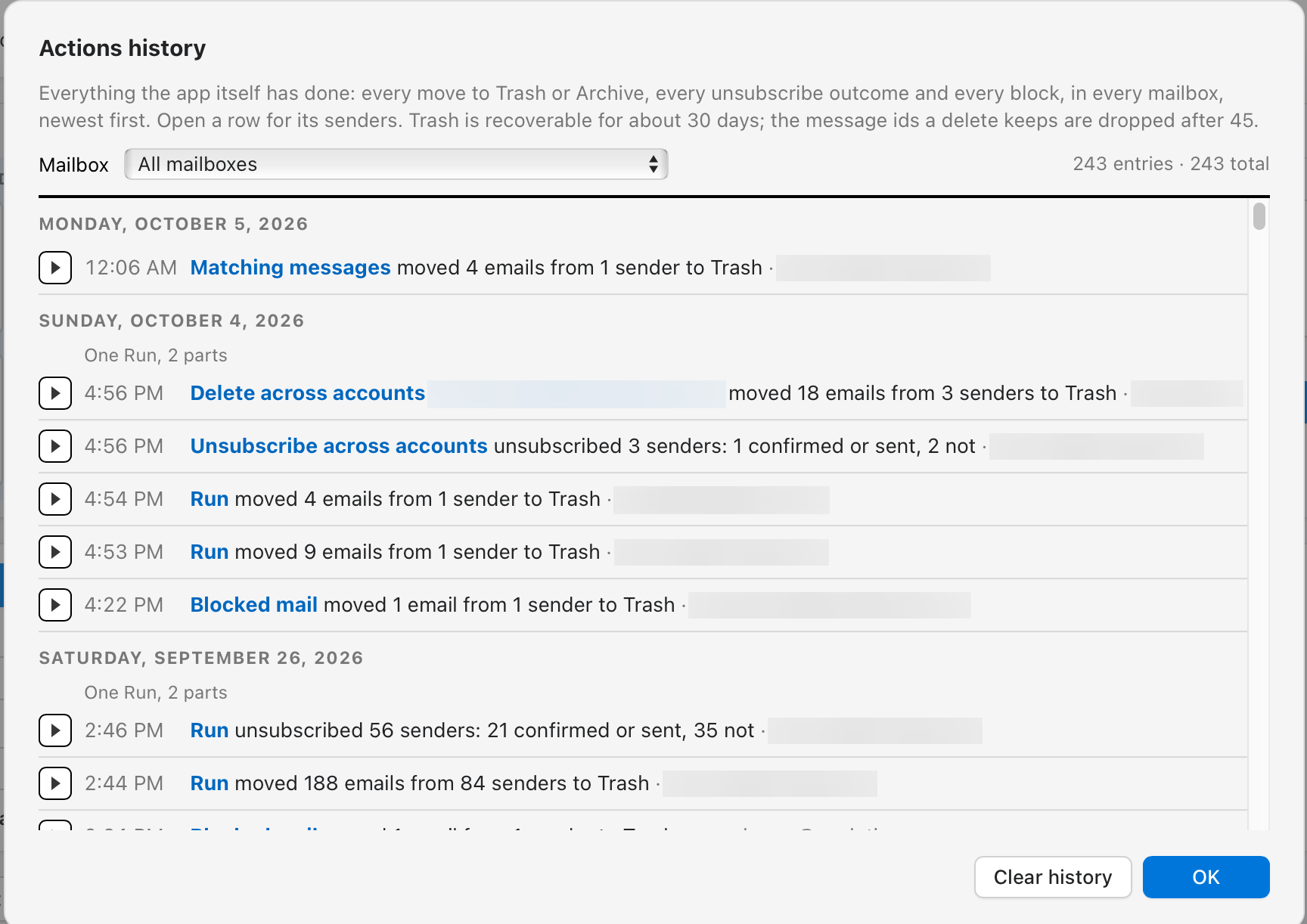
Every move to Trash or Archive, every unsubscribe outcome and every block is written to your actions history, newest first. Open any row to see the senders it covered.
Unsubscribe that actually works
Verified unsubscribes
The app checks whether an unsubscribe worked instead of assuming it did.
Failed unsubscribes
See which unsubscribes didn't work, so nothing slips through quietly.
Still mailing after unsubscribe
Catch senders who ignore your request, then block them.
Block sender
Rules in your own mailbox
On Gmail and Microsoft accounts, block rules are installed directly in your own mailbox. They keep working 24/7, even when the app is closed, with no third-party server involved.
On IMAP accounts, blocking is applied each time you scan, not continuously.
Smart, explainable filters
Built-in presets
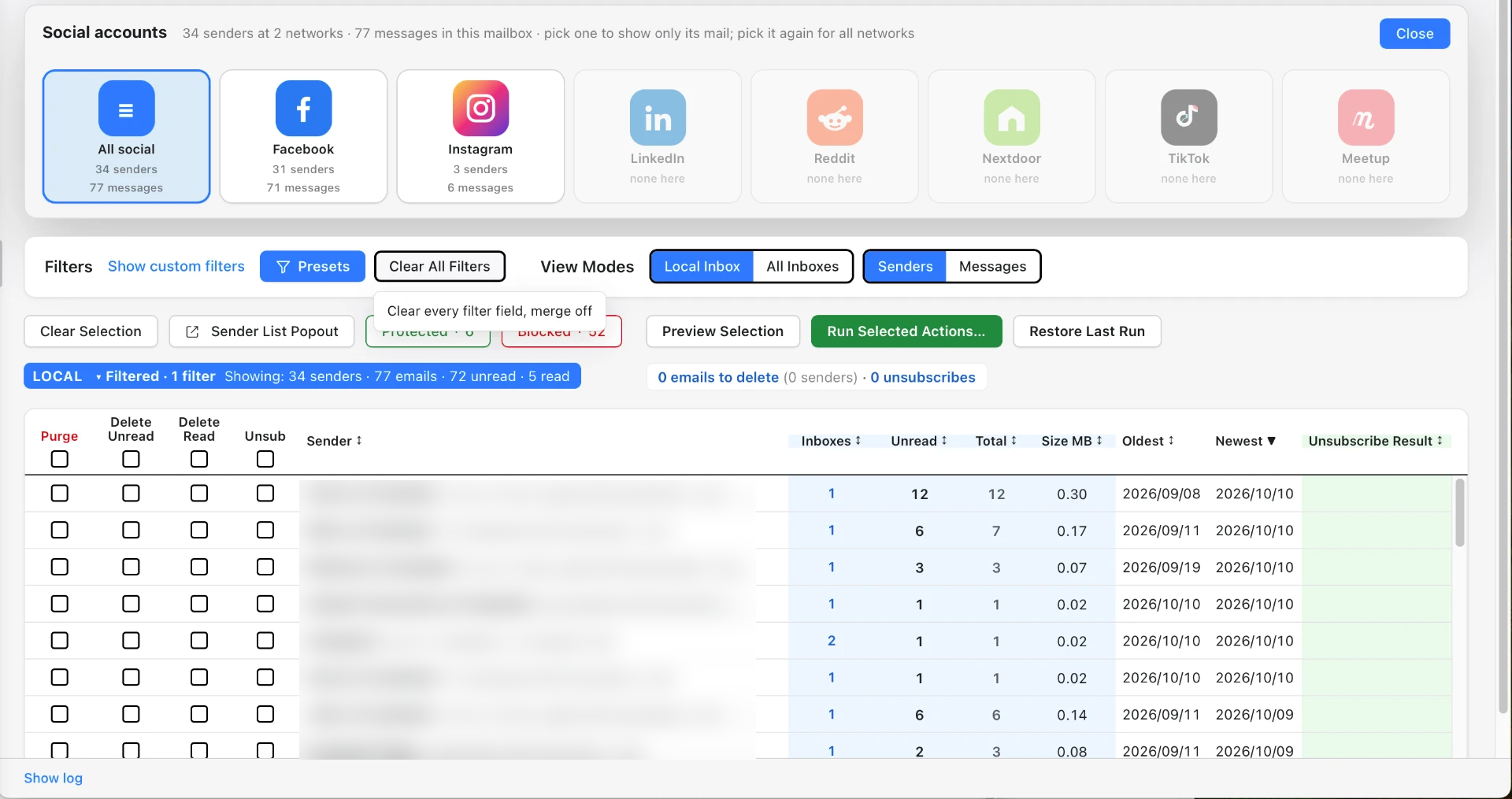
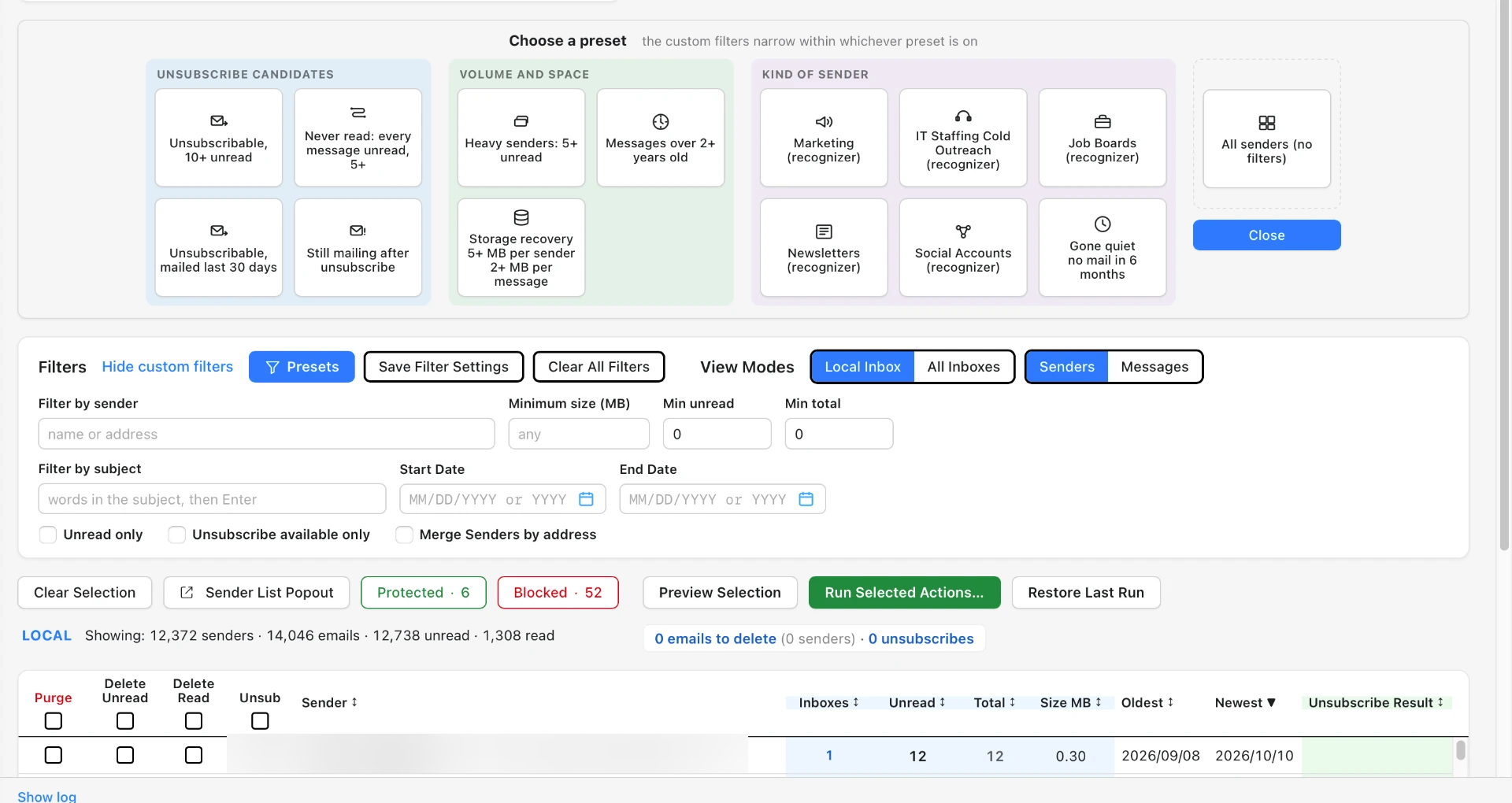
Start with Marketing, Newsletters, IT staffing cold outreach or Social accounts.
Why flagged
Every flagged sender shows its reasons in plain language.
Your own presets
Save the filters you use most and reuse them anytime.
Custom filters
Apply them on their own, or on top of a preset to narrow the list further.
Runs on-device
Every filter runs on your Mac or PC. No mail information at all is sent to any web-based server or service.
Your accounts
Gmail, Outlook and IMAP
Works with Gmail, Outlook / Microsoft 365, and IMAP providers such as Yahoo, iCloud, Fastmail and AOL.
Cross-account awareness
Connect multiple inboxes and work across them together.
Mac and Windows
A desktop app for Mac and Windows.